How to Setup IPTV on Apple TV 4K, iPhone & iPad in Cyprus
Apple TV 4K (powered by Apple's A15 Bionic processor), along with iPhones and iPads, delivers the most visually stunning IPTV experience available. With true Dolby Vision, HDR10+ support, and automatic iCloud playlist synchronization, you can start watching Cytavision Sports 1 to 7 on your living room Apple TV and pick up right where you left off on your iPad.
Recommended Applications for Apple TV, iPhone & iPad
IPTVX (Apple Design Award Winner Style)
A gorgeous Apple-inspired user interface featuring iCloud sync across all your devices, automated trailer previews, and episode tracking.
Smarters Player Lite (Free in App Store)
Officially available on the iOS and tvOS App Store. Quick Xtream Codes connection with multi-language subtitle controls.
UHF — IPTV Player (Modern & Minimalist)
A modern, lightweight iOS and tvOS player with ultra-smooth 60 FPS sports rendering and picture-in-picture mode.
Step-by-Step Configuration Walkthrough
Open Apple App Store & Download IPTVX or Smarters
On your Apple TV 4K, iPhone, or iPad, open the App Store, search for "IPTVX" or "Smarters Player Lite", and download the app.

Tip: Both apps are fully vetted and approved on the official Apple App Store, with no sideloading or jailbreak required.
Select Xtream Codes API Login Method
Open the app and click "Add New Playlist". Select "Xtream Codes API" as your connection method for fast EPG syncing.
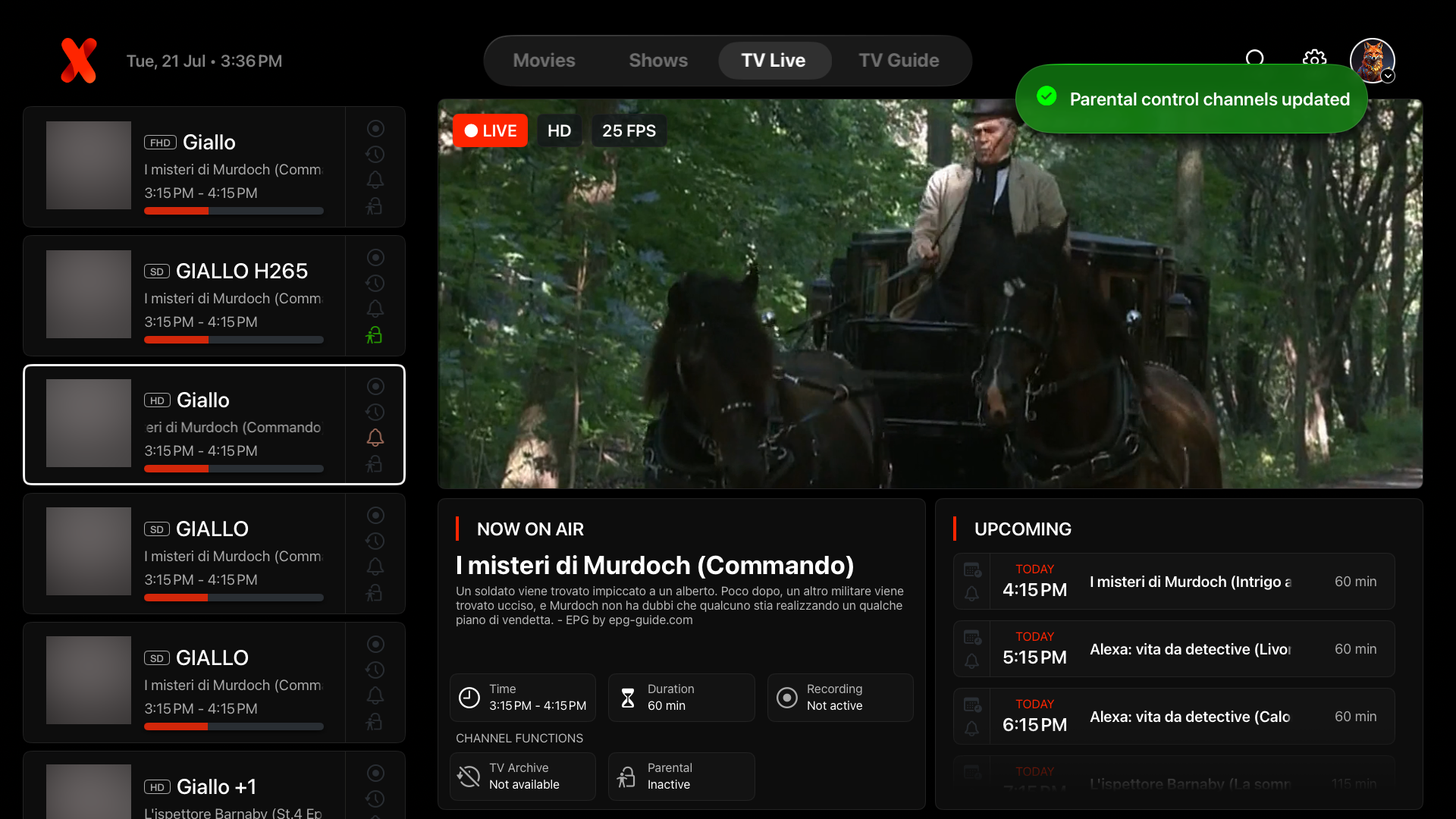
Tip: If using IPTVX, turn on "iCloud Sync" in the settings so your channels and favorites sync automatically across your iPhone, iPad, and Apple TV. Learn more about IPTVX in our best IPTV apps benchmark.
Enter Cyprus TV Pro Credentials
Enter any playlist name (e.g. Cyprus TV Pro), paste your Server URL, and type your assigned Username and Password from your 12-Month Subscription Pass or flexible 6-Month Plan.

Tip: Ensure your Apple TV audio settings are set to "Auto" or "Stereo / 5.1 Surround" for the best live sports stadium atmosphere.
Stream in 4K HDR with 60 FPS Fluidity
Your channels, live Cypriot EPG, and movies will load instantly. Enjoy crystal-clear 4K HDR playback and 7-day replay on demand.
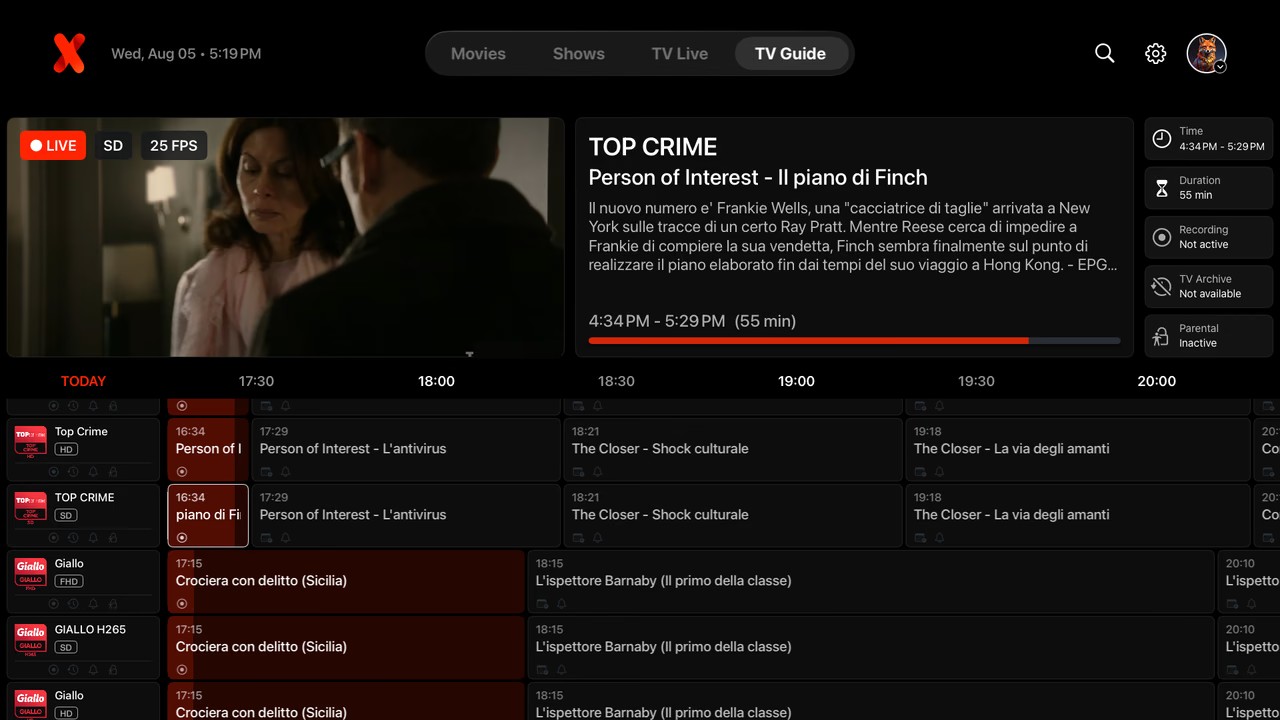
Tip: Swipe up on the Siri Remote to access audio language tracks and subtitle toggles. If you experience frame drops, review our Cyta, Cablenet & Epic speed guide.
Frequently Asked Questions
Does Apple TV 4K support 7-day replay on Greek and Cypriot channels?
Yes! Apps like IPTVX and Smarters Player Lite support full 7-day catch-up on all major Cypriot and Greek channels. Expats can also enjoy complete UK television by checking our UK Expat TV channel guide.
Can I use AirPlay from my iPhone to Apple TV?
Yes, you can stream directly from your iPhone or iPad to your Apple TV via AirPlay 2 in full 1080p/4K resolution.
Can I watch simultaneously on my Apple TV and iPhone?
Standard subscriptions provide 1 active connection. If you need to watch in multiple rooms simultaneously, check out our Multi-Screen options or message our WhatsApp team.