Top 5 Best IPTV Apps in Cyprus: IPTV Smarters Pro vs IBO Player vs TiviMate
By Alexandros Georgiou — Senior Streaming & Tech Analyst — 08 February 2026 (8 min read)
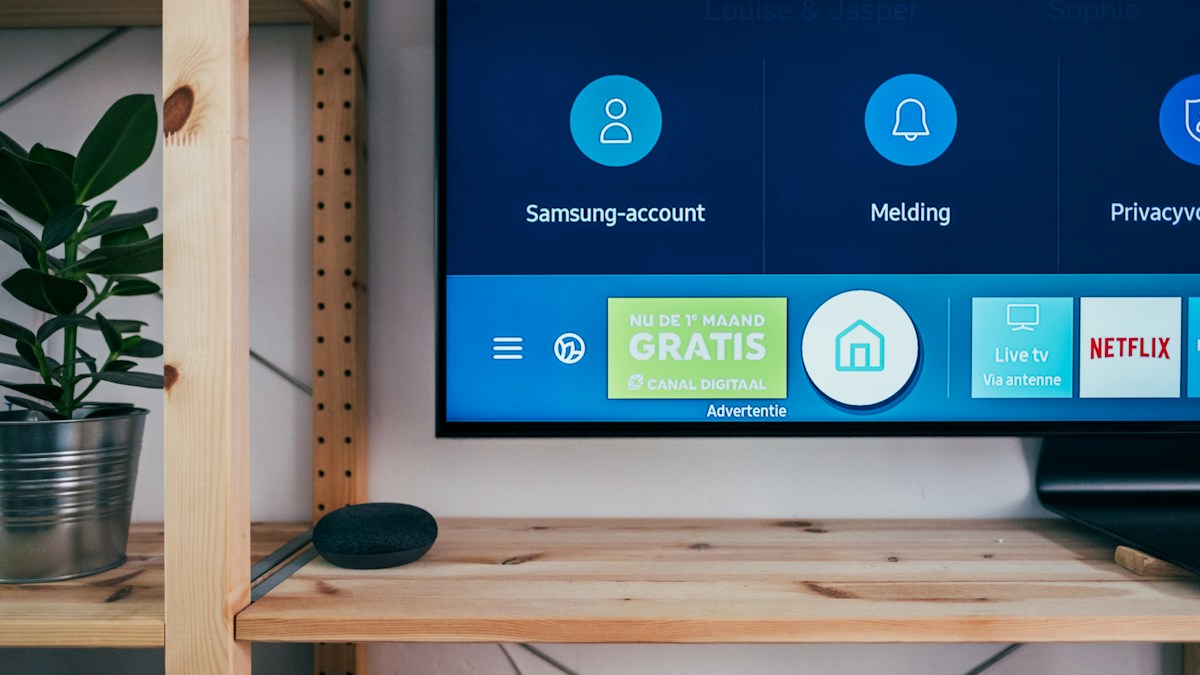
Even the fastest European IPTV server will feel sluggish if paired with an outdated, poorly coded media player application. In Cyprus, where viewers frequently switch between high-bitrate Cytavision Sports, Greek news channels, and 4K cinema releases, selecting the right application for your specific television hardware is the single most important decision you can make.
Should you install IPTV Smarters Pro, pay for IBO Player, or side-load TiviMate on your Amazon Firestick? In this comprehensive software benchmark, we evaluate the 5 leading IPTV applications across Samsung Tizen, LG webOS, Fire OS, Apple tvOS, and Android TV. Before selecting an app, make sure to consult our Cyprus IPTV comparison and buyer's guide to choose the right service tier.
1. IBO Player: The Undisputed Champion for Samsung & LG Smart TVs
If you own a Samsung Smart TV (manufactured after 2018 running Tizen OS) or an LG Smart TV (running webOS), IBO Player is our #1 recommendation. Available directly in the official Samsung Smart Hub and LG Content Store, it requires zero side-loading or technical skills. Follow our visual Samsung & LG Smart TV setup tutorial for quick configuration.
- Ultra-Rapid Zapping: Channel switching occurs in less than 0.4 seconds.
- Direct MAC Activation: Easily upload your Cyprus TV Pro playlist via their web portal without typing long URLs on your TV remote.
- Native 4K HDR Playback: Perfect rendering of 60 FPS sports broadcasts with zero frame-dropping.
- Cost: Comes with a 7-day free trial, followed by a nominal one-time lifetime license fee (approx. 8 €).
2. TiviMate IPTV Player: The Gold Standard for Firestick & Android TV
For users with an Amazon Fire TV Stick, Google Chromecast 4K, Nvidia Shield, or Xiaomi Mi Box, TiviMate is in a class of its own. It is widely considered by streaming engineers to be the most polished IPTV interface ever created. Check out our detailed walkthrough in our Amazon Fire TV Stick configuration guide.
- Sky Q / TiVo Style TV Guide: Fluid, modern, customizable Electronic Program Guide grid.
- Multi-Screen Quad-View: Watch up to 4 football matches simultaneously on a single screen—ideal for Saturday Champions League afternoons.
- Custom Channel Re-ordering: Create custom favorites folders and arrange Cypriot and UK channels in your preferred order.
- How to Install: Download the free 'Downloader' app from the Amazon Appstore, enter quick code 28907, and click install.
3. IPTV Smarters Pro: The Universal Free Favorite for Families
IPTV Smarters Pro remains the most widely recognized application globally. It is completely free to download across Android, Windows, Mac, and select Smart TV platforms. Follow our setup instructions for Android TV boxes or Windows PC and Apple Mac computers.
- Netflix-Inspired Layout: Displays separate visual hubs for Live TV, Movies, and Series with rich cover art.
- Parental Controls: Pin-protect adult or sensitive channel bouquets easily.
- Built-in Subtitle & Audio Track Selectors: Effortlessly toggle between Greek and English commentary during live sporting events.
4. IPTVX: The Luxury Apple TV 4K Experience
If you live in the Apple ecosystem with an Apple TV 4K, iPhone, or iPad, IPTVX delivers an unmatched cinematic aesthetic. Featuring Apple Design Award-level polish, it supports iCloud playlist synchronization, Dolby Vision HDR rendering, and automatic episode progress tracking across all your iOS and tvOS devices. Follow our step-by-step instructions in our Apple TV 4K and iOS guide.
5. Comprehensive App Comparison Table
Summary comparison across all major performance metrics. For satellite and Linux enthusiasts, check out our Formuler and Enigma2 setup guide, and make sure your broadband setup aligns with our anti-buffering speed settings:
| Player App | Best Hardware | Operating System | Zapping Speed | Multi-Screen | Price |
|---|---|---|---|---|---|
| IBO Player | Samsung & LG Smart TVs | Tizen / webOS | 0.4 seconds | No | 7-Day Free, then ~8€ Lifetime |
| TiviMate IPTV | Firestick & Android TV | Fire OS / Android | 0.2 seconds | Yes (Up to 4 screens) | Free / Premium optional |
| IPTV Smarters Pro | Universal (TV, PC, Mobile) | All Platforms | 0.6 seconds | Yes (PC/Android) | 100% Free |
| IPTVX | Apple TV 4K & iPhone | tvOS / iOS | 0.3 seconds | Yes (tvOS) | Free / Subscription options |
| Smart IPTV (SIPTV) | Older Smart TVs | Tizen / webOS | 0.8 seconds | No | 5.49 € One-time activation |
Frequently Asked Questions
Do I have to pay for an IPTV app to use Cyprus TV Pro?
No! Many apps like IPTV Smarters Pro and Smarters Player Lite are 100% free. While premium players like TiviMate or IBO Player offer lifetime licenses for a small fee, free alternatives work exceptionally well with our 12-Month Best Value Subscription.
How do I install TiviMate on my Amazon Fire TV Stick in Cyprus?
Install the 'Downloader' app from the Amazon Appstore, enable Unknown Apps in Fire TV Developer Options, and enter quick code 28907 in Downloader to install TiviMate in under 2 minutes. Follow our Amazon Firestick tutorial for full visual steps.
Can I use the same app on my TV and my iPhone?
Yes, apps like IPTV Smarters Pro and IPTVX offer multi-platform support across both mobile and television hardware.